
How Do I Reset My Password?
If you've previously created a Badge & Wallet online account but can't remember your password, you can reset it in just a few steps.
Step 1: Go to the Log In page
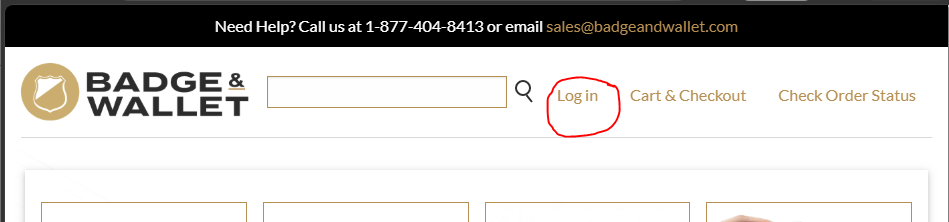
On desktop, click Log In in the upper-right corner of the website.
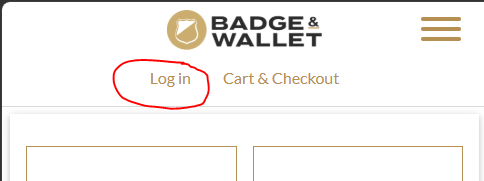
On mobile devices, tap Log In near the top of the page.
Step 2: Select "Reset your password"
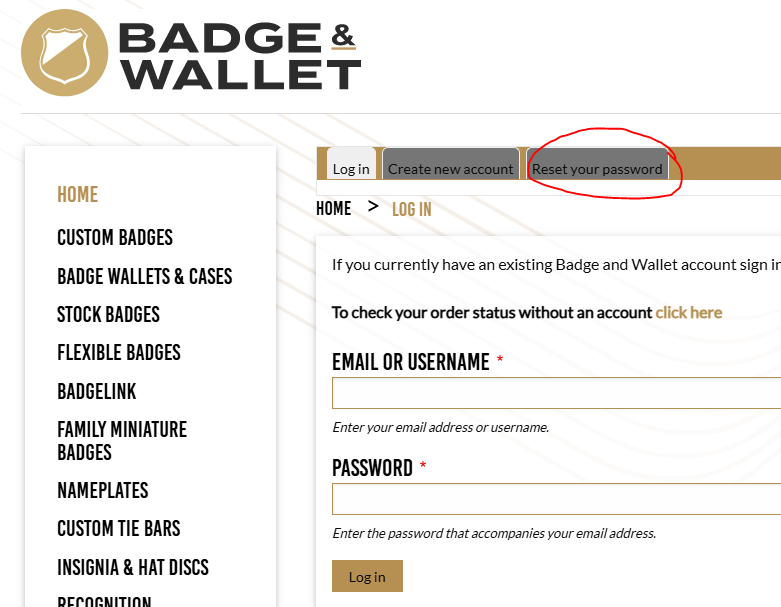
On the Log In page, click or tap the Reset your password tab.
Step 3: Enter your email address
Enter the email address associated with your Badge & Wallet account and click Submit.
If an account exists for that email address, you'll receive an email with instructions for creating a new password.
I Didn't Receive the Password Reset Email
If you don't receive a password reset email after a few minutes, it's usually because there isn't an online account associated with that email address.
In that case, return to the Log In page and select Create new account to register for a Badge & Wallet online account.
Still Need Help?
If you're unsure whether you have an online account or continue to experience problems signing in, please contact us and we'll be happy to help.
Related Articles
- How can I check the status of an order?
- How can I change or cancel my order?
- How long does it take to receive my order?